Nines

Nines: A terminal-powered RPG

Career coach

So. Who do you want to be?

  • A PHP dev with a Lambo.
  • A white-hat hacker with a signed scope.
  • The SRE who gets paged at 03:07 and is back in bed by 03:20.

For people who like terminals, and want (or need) to keep their skills sharp.

Play in your browser

Free. Nothing to install. No account.

Coming to Google PlayAndroid app in testing

web-01
A real quest from the game, typed out
Femke: checkouts fail with 'no space left on device'. Don't touch the database.
$ df -h /var
Filesystem Size Used Avail Use% Mounted on
/dev/sdb1 10G 9.5G 525M 95% /var
$ du -sh /var/log/*
300M /var/log/journal
4.6G /var/log/nginx
2.5G /var/log/shop
$ ls -lh /var/log/shop
-rw-r--r-- 1 root root 50M Nov 26 09:00 app.log
-rw-r--r-- 1 root root 2.4G Nov 22 20:07 debug.log
$ rm /var/log/shop/debug.log
$ df -h /var
Filesystem Size Used Avail Use% Mounted on
/dev/sdb1 10G 7.1G 3.0G 71% /var
Disk full: fixed. +€150, +20 XP. Database: still there.

Pager, 03:07: the shop's web server will not start after last night's change.
$ nginx -t
nginx: [emerg] unknown directive "listn" in /etc/nginx/conf.d/shop.conf:2
nginx: configuration file /etc/nginx/nginx.conf test failed
$ edit /etc/nginx/conf.d/shop.conf
listn 80; -> listen 80;
$ nginx -t
nginx: the configuration file /etc/nginx/nginx.conf syntax is ok
nginx: configuration file /etc/nginx/nginx.conf test is successful
$ systemctl restart nginx
Service down: fixed. +€175, +25 XP. Back to bed.

shop-api keeps crashing on Kubernetes since a config change.
$ kubectl get pods -n shop
NAME READY STATUS RESTARTS AGE
shop-api-g5wphq5r7-b9vp6 0/1 CrashLoopBackOff 7 42m
shop-api-g5wphq5r7-lvzdn 0/1 CrashLoopBackOff 7 42m
$ kubectl logs -n shop shop-api-g5wphq5r7-b9vp6
2026-11-26T07:41:09Z INFO starting shop-api 1.8.0
2026-11-26T07:41:09Z INFO reading configuration from the environment
2026-11-26T07:41:09Z FATAL invalid LOG_LEVEL "verbose": must be one of debug, info, warn, error
You know what to do. The rest is in the game.

Who it’s for

  • SREs
  • platform engineers
  • DevOps
  • sysadmins
  • students
  • people between jobs
  • job hunters

Anyone whose hands know df -h before their head does, and who would like to keep it that way. Students who want more than a tutorial. People between jobs who want the muscle memory still there at the interview. And everyone who reads man pages for fun and doesn’t mention it at parties.

What’s in it

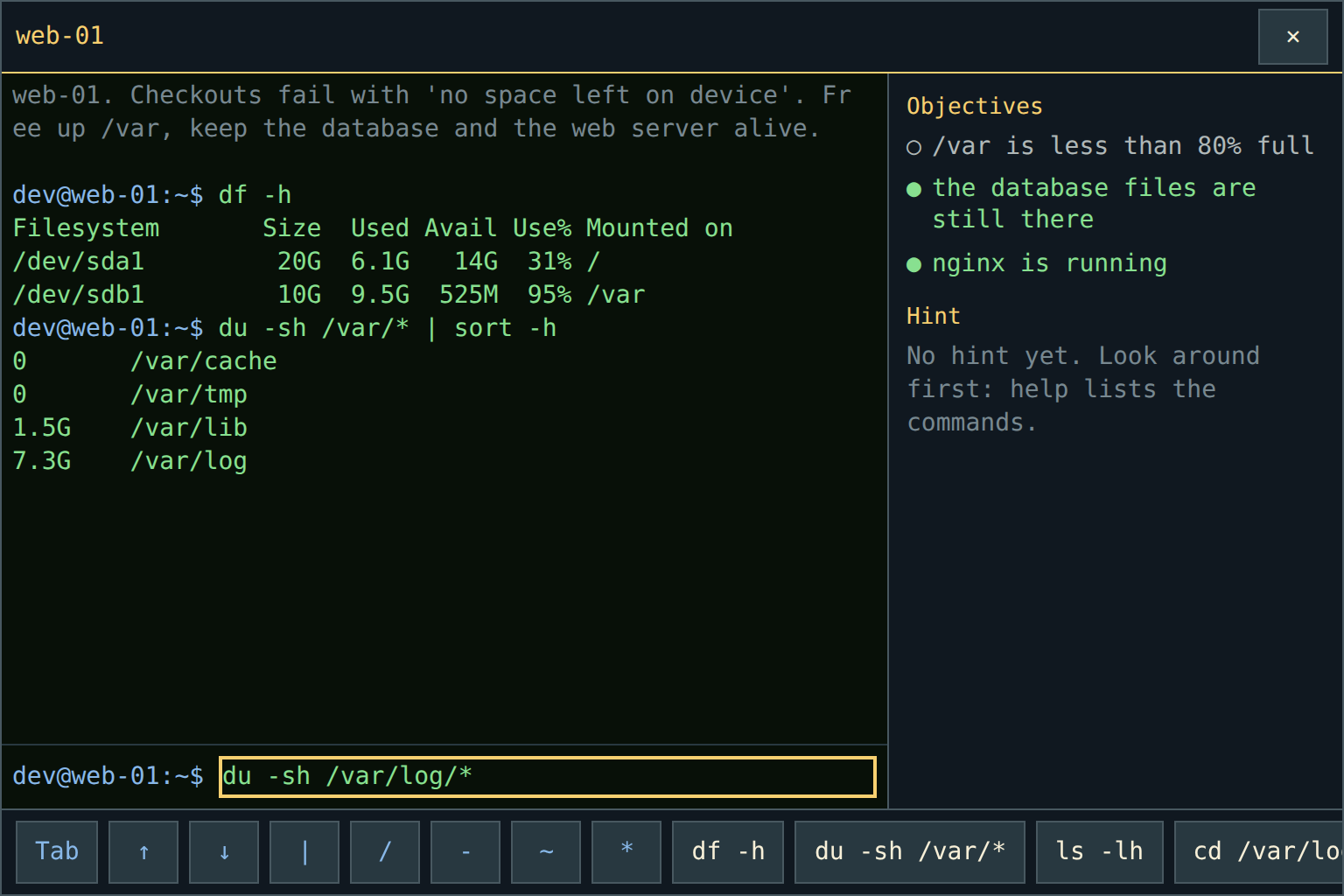
The in-game terminal on web-01: df shows /var at 95%, du shows 7.3G in /var/log.

Terminal quests that push back

Sit down at a rack and fix it. df, du, grep, journalctl, systemctl, nginx -t, git, kubectl: the commands are real, the machines are simulated, and the error messages are the ones you would actually get. There is an editor for the config you are about to regret. You can delete the database. The game will notice.
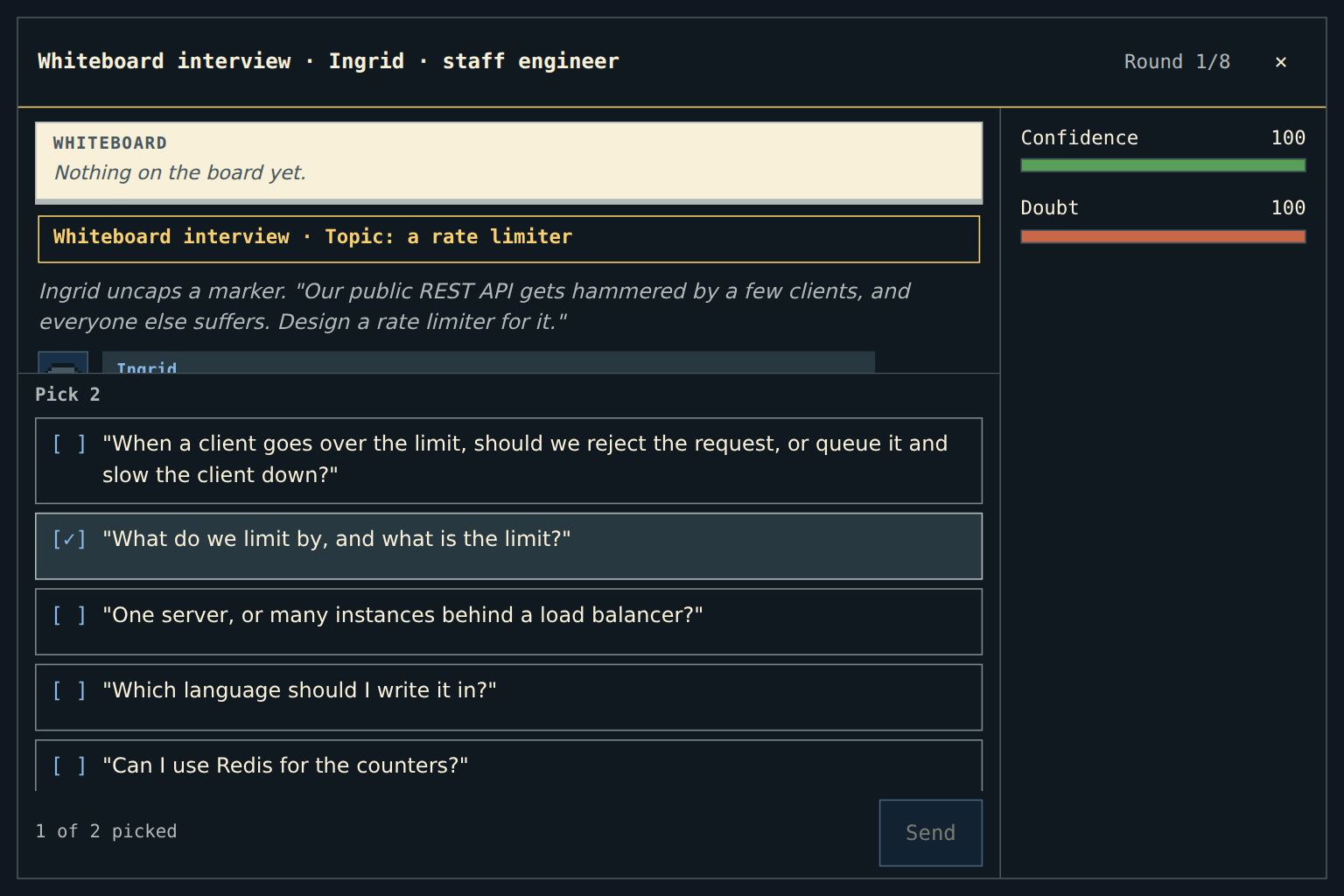
A battle in the war room: the rate-limiter interview, with the interviewer’s question, answer cards and the Confidence meter.

Interviews and incidents

Some fights are conversations. A system-design interview at the whiteboard: rate limiters, URL shorteners, ticket booking. An incident call where everyone talks at once. A Friday afternoon where the scope grows faster than the sprint. Pick your answers, put the steps in order, and keep your Confidence out of the orange.

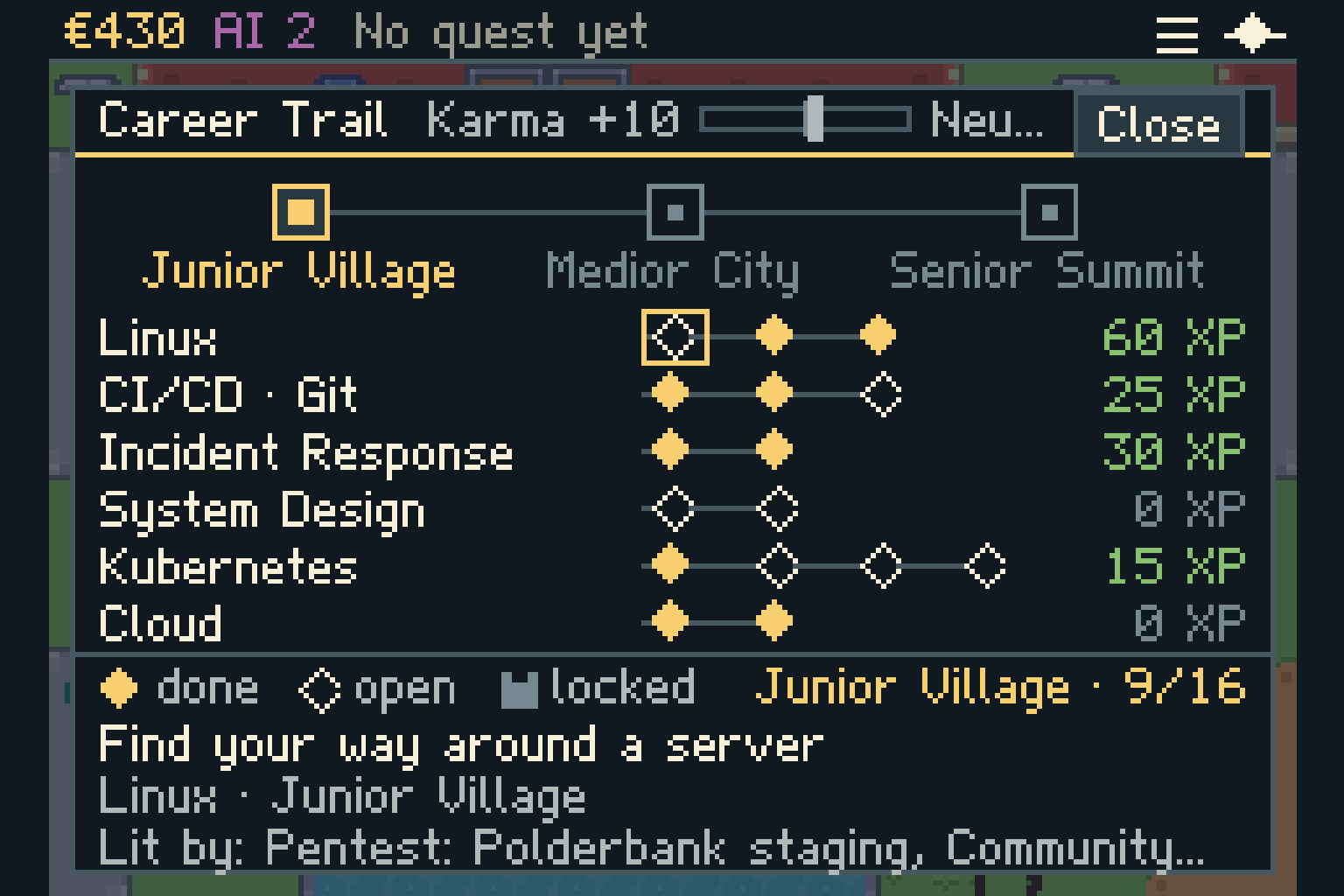
The Career Trail: Junior Village, Medior City and Senior Summit, with skill rows for Linux, Git, CI/CD, incident response, system design, Kubernetes and Cloud.

Six paths, real exam topics

Software engineer, SRE, DevOps, platform engineer, systems engineer or ethical hacker. The Career Trail tracks every branch you level, and the Kubernetes and Cloud branches follow the official domains of KCNA and CKAD, the big clouds’ fundamentals exams and Terraform Associate. Not a cert course: a place to practise what the exam asks.

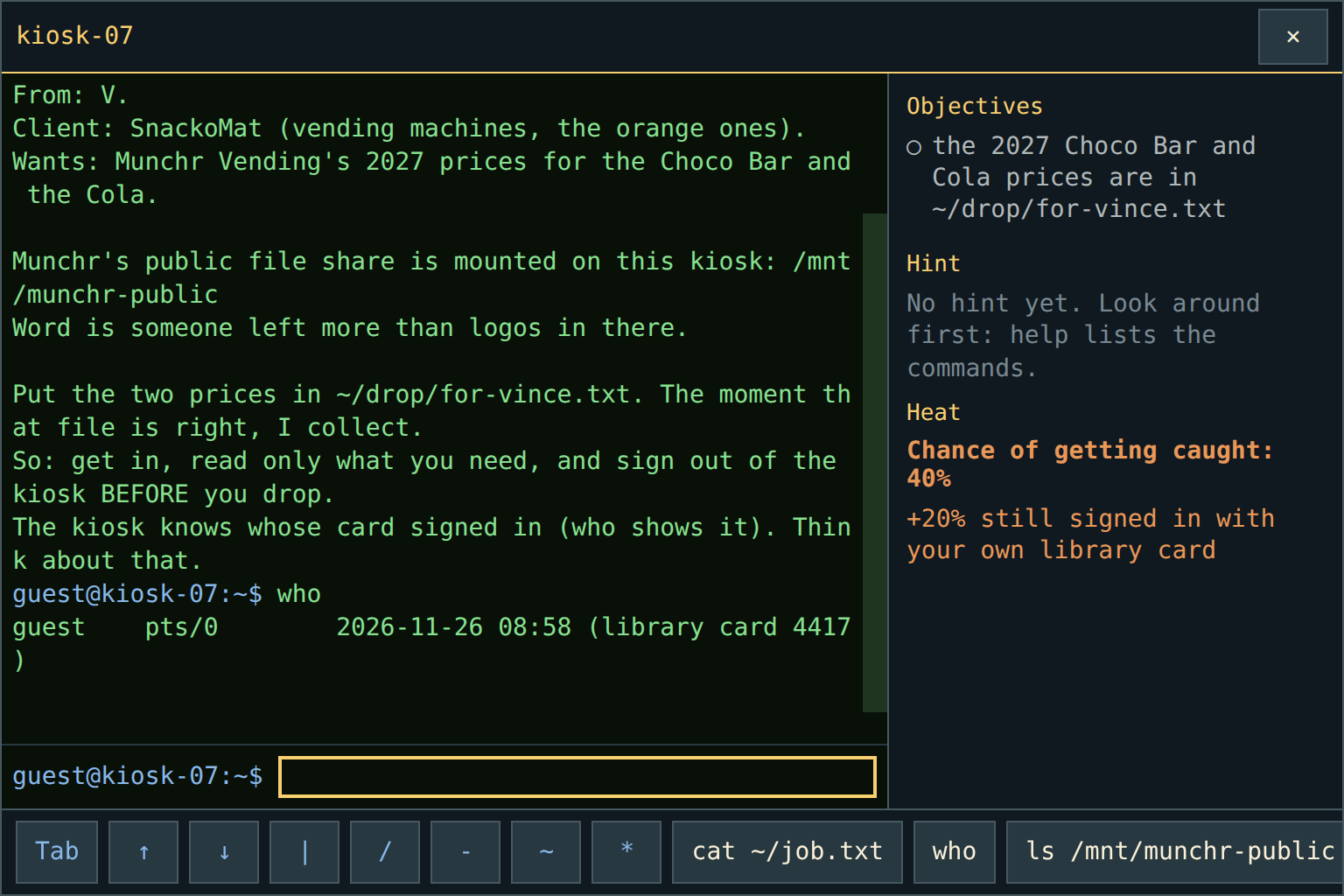
A side hustle in the terminal, with the heat meter showing how likely you are to get caught.

Karma and side hustles

Vince, behind the office, pays well for jobs that don’t come with a ticket. Get caught and it is a fine, a strike, eventually probation. Or go independent: skip the procedures, bill 150%, pay three times the damage. Karma keeps score, and the enterprise clients check it before they call.

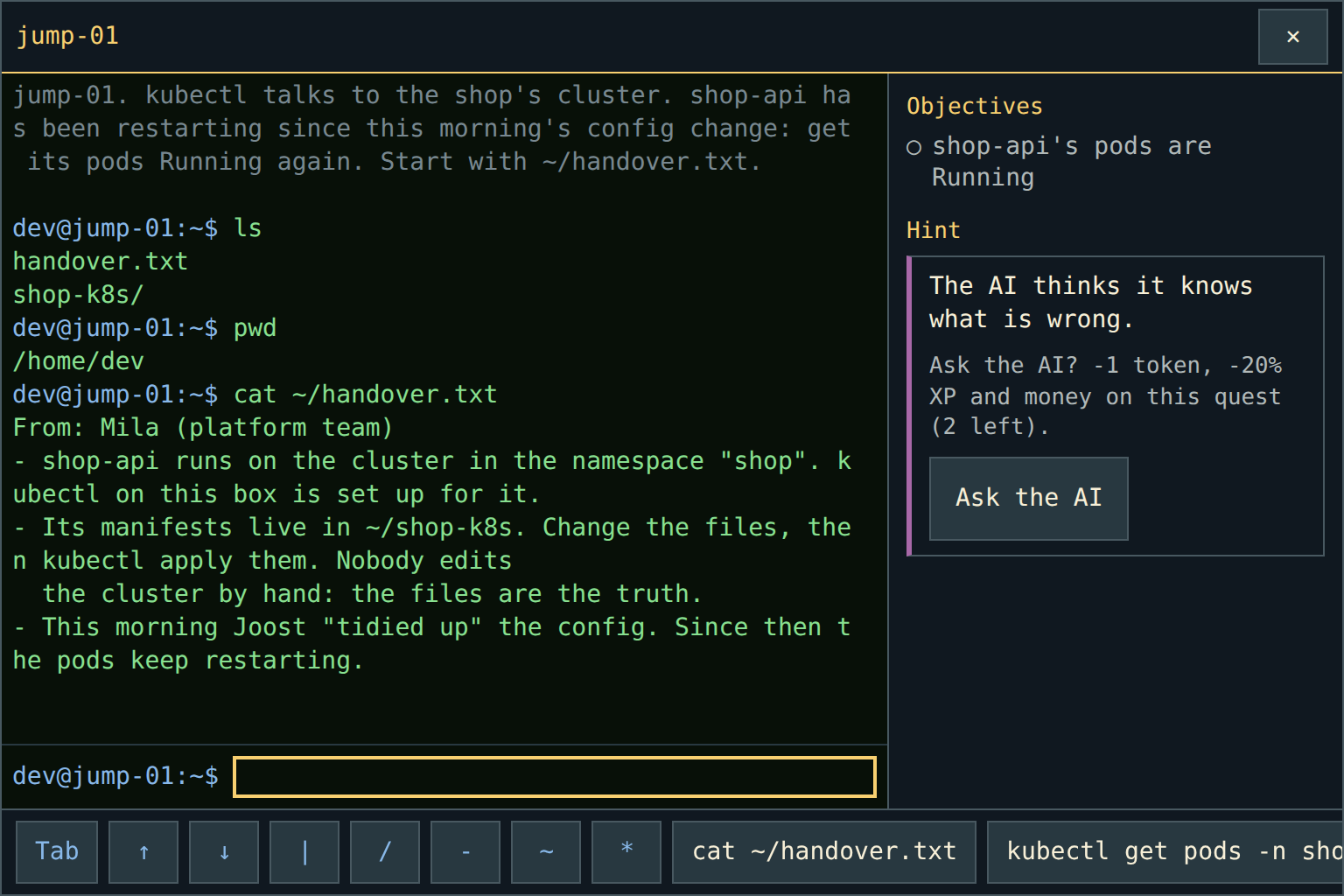
The hint prompt: ask the AI for one token and twenty percent of the reward.

Hints cost AI tokens

Stuck? Ask the AI. It costs a token and takes a cut of your reward, which is roughly how it goes at the office, too. Run out, and the game says: “The Homelab Store sells credits. Or, radical idea: read the logs.”

The pager is quiet. For now.

Runs in any modern browser, on a laptop or a phone. Your progress stays in that browser.

Play in your browser

Free. Nothing to install. No account.

Coming to Google PlayAndroid app in testing

Questions

Is it free?

Yes. The browser version is free, and the Android app will be free on Google Play. If a paid part ever comes, anyone who started before it keeps playing for free on the device they play on.

Does it run offline?

Yes. After the first visit your browser keeps a copy and the game runs without a connection. The Android app runs fully offline.

What do I actually learn?

Reading a machine before you touch it: df and du before rm, nginx -t before a restart, kubectl logs before kubectl delete. Git and CI configs, Kubernetes objects, cloud permissions and cost, and how to talk through a system design. It will not replace a real lab; it keeps the reflexes warm between them.

Is it a real shell?

No. It is a simulator written for the game: every machine is a small model of files, services and clusters, running in your browser tab. Pipes, redirection, variables, sudo, apt, vim and nano work the way your fingers expect, error messages included, and an unknown command says so honestly. You cannot break anything real, however hard you try.

Dutch or English?

Both. Switch any time in the game’s menu.

Can I add a quest?

Yes, without writing code: a quest is one folder of YAML. See Contribute.